Can Claude Code Help SysAdmins? Real Use Cases for IT Pros

The first time I heard Microsoft was putting Copilot into Notepad, I had a physical reaction.
Notepad? Really? Please. Anything but Notepad.
That moment crystallized something a lot of SysAdmins feel but don’t always say out loud: the AI-everywhere push is exhausting, most of the demos are built for developers, and the last thing any of us needs is another tool solving a problem we don’t have. Let’s face it….The skepticism is earned. It’s the same skepticism I brought to Claude Code.
That said, I’ve been using Claude Code in my own SysAdmin workflows for the better part of 6-months now, and I want to make an honest case for it. Not the vendor pitch. But, a SysAdmin one.
The short answer to the question in the title: yes, it can help. But only if you understand where it actually fits, where it falls short, and what the one configuration file is that most people completely miss. This is what we’re answering in this blog post. Alternatively if you prefer a Podcast format, I’ve embedded a recent episode from the SysAdmin Weekly podcast below.
If you prefer the written word, then read on!
Can Claude Code Help SysAdmins - Answered on the SysAdmin Weekly Podcast
Episode 046 of SysAdmin Weekly — the full video version of this discussion if you prefer visual / audio media.
What Is Claude Code?
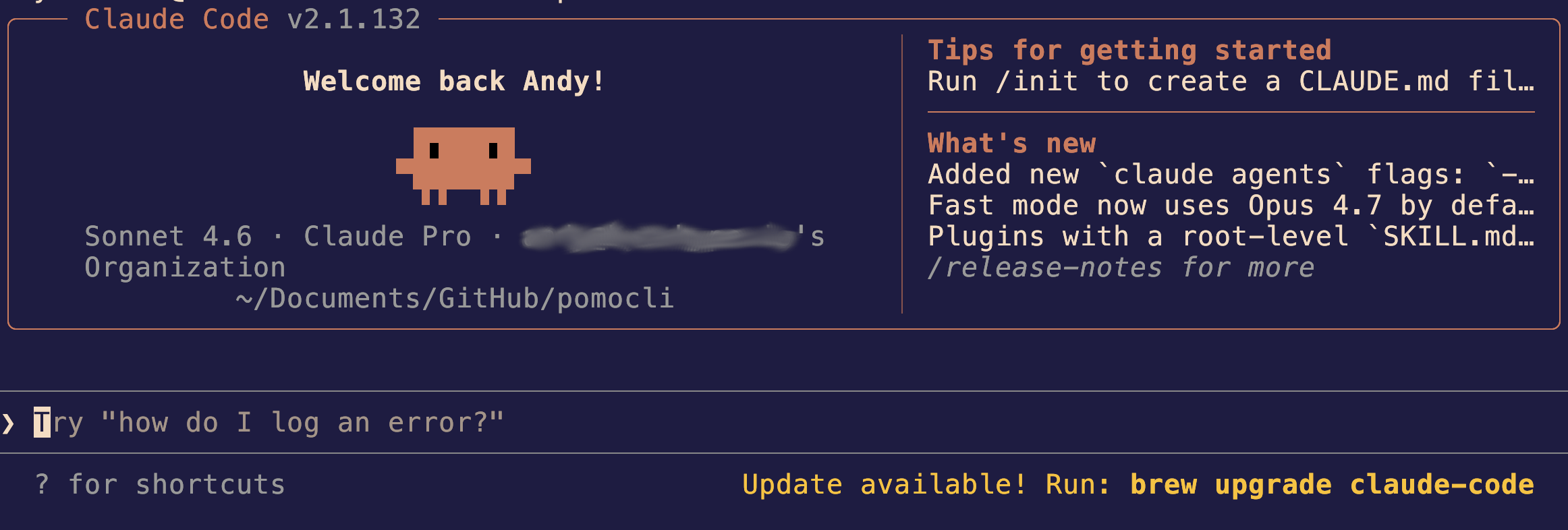
Claude Code is a CLI tool from Anthropic that runs directly in your terminal. No web interface. No browser tab. Just a tool you invoke in the same environment where you’re already doing the actual work.
The closest analogy I often run with when explaining it: it’s like having a knowledgeable colleague sitting next to you. You can show it a config file, paste in an error message, describe what you’re trying to accomplish, and work through the problem together. It reads files. It proposes changes. It runs commands.
Here’s the thing that matters most from a SysAdmin perspective (and for me personally!): control.
Claude Code will not take action without your approval. Every file edit shows you a diff before writing. Every command it wants to run gets surfaced for you to allow or deny. Every URL it wants to fetch gets named first. You can expand those permissions over time, but the default is VERY conservative. It is not operating unilaterally in your environment.
That’s the baseline. Now here’s the part that actually changes how you use it and what was the game-changer for me personally.
What Is the CLAUDE.md File?
Most people who try AI tools for SysAdmin work generally hit the same wall. You spend the first third of every session re-explaining your environment:
- Here’s our AD structure.
- Here’s the naming convention.
- Here’s the folder the script absolutely cannot touch.
- Here’s the application that you need to stay the hell away from…..
Under the traditional chatbot-style usage that context disappears the moment the session ends….. and to quote Ultron yet again in my writing… “Boom, the end… start again”
The CLAUDE.md file solves this pain point.
It’s a plain text markdown file that lives at the root of whatever project or folder you’re working in. Claude Code reads it every time it loads. It can include a myriad of information such as your environment context, your conventions, your constraints…etc. All of it is baked in from session one. You stop re-explaining (thank god!). Claude already knows without you having to tell it, yet again.
For a SysAdmin, this is where it gets genuinely useful. Document your AD structure. Define your naming conventions. Specify what the scripts you’re building need to leave alone. Set your preferred output format for documentation. All of that becomes institutional knowledge that persists across every session.
Here’s the other thing: Claude is good at helping you build the CLAUDE.md file itself. Describe the project, tell it what you’re trying to accomplish, ask it what information it needs, and it’ll get you 80% there. You tune the rest.
Once I started using CLAUDE.md consistently, my frustration with AI tooling basically went away. The endless context battles stopped. The output stopped drifting session to session. It became something that actually fit into a workflow instead of fighting against one.
What Are Claude Code Configuration Scopes?
Before getting into the specific use cases, it’s worth understanding how Claude Code organizes its configuration. This matters for SysAdmins because it directly answers one of the most common questions:
how do you keep sensitive environment details out of a shared repository?
Claude Code uses four configuration scopes, applied in priority order:
Managed: Organization-wide settings deployed by IT. These take absolute priority and cannot be overridden by anyone. If your org has compliance requirements around AI tool usage, this is where those guardrails live. Deployed via MDM, OS-level policy, or a file at /etc/claude-code/ on Linux. This is the enterprise control layer.
User: Your personal settings across all projects. Lives in ~/.claude/settings.json. API keys, personal preferences, tools you always want available. Never committed to a repo, which means it’s safe for personal configuration that follows you machine to machine.
Project: Shared team settings committed to the repository. The permissions and tooling configuration lives in .claude/settings.json. The CLAUDE.md file we’ve been discussing is separate and lives directly in the project root, not inside .claude/. Anyone who clones the repo gets both automatically.
Local: Machine-specific personal overrides for a specific project. Lives in .claude/settings.local.json, which is the same directory as the project settings file, but a distinct file. Claude Code adds it to .gitignore when it creates it, but verify the entry is actually in your .gitignore before assuming it’s covered. This is the right place for sensitive environment details specific to your machine that should never reach a shared repo.
The practical split for most SysAdmin workflows is that shared conventions and project context go in the project scope, personal and sensitive details go local. Internal hostnames, API keys, environment-specific paths…etc are local scope, gitignored, and stays on your machine.
That’s the answer to the sensitive data question. Not “don’t use Claude Code,” but “use the right scope.”
A Note on Sensitive Data Use with Claude Code
Now that all said….it’s worth saying if you are working with deeply sensitive and proprietary data that you in no way want to be used in the training of a public AI model, think twice about including it. While, yes, Anthropic claims to honor the “do not use my stuff to train models” button and there is no evidence to the contrary. The fact remains, they COULD were the so inclined.
If you need to run AI tools against sensitive data in your org, I HIGHLY recommend reviewing Anthropic’s Privacy Center, which covers API, Console, and Enterprise privacy specifics in detail.
Claude Code Use Cases for SysAdmins
Script Generation With Claude Code
The old way of using AI for scripting was….meh. Example: “Write me a PowerShell script to do X.” The result is generic. You spend 20 minutes correcting it for your environment.
With CLAUDE.md, the dynamic changes. Your environment and caveats are already documented. Your naming conventions are in there. The things the script cannot touch are specified. Claude builds the script with all of that in mind, shows you the diff before writing the file, and you review it before it goes anywhere near production.
The review step is non-negotiable. Always understand what the script does before you run it. Think of it the same way and pulling a script off of Reddit / GitHub. You want to understand what it does before running it in production. Claude will even explain generated scripts line by line if you ask and, it’s worth noting, that this method is also a decent way to learn something in the process as well.
Log Analysis and Incident Triage With Claude Code
I’ll say this plainly: I am not good at log analysis. Not because I can’t do it, but because combing through thousands of lines looking for the one outlier is the kind of tedious work that makes the job feel like punishment.
Claude Code handles this well. Drop the relevant log files into your working directory, paste the error message, add context about what changed recently and what you suspect, and ask for a structured hypothesis. It won’t give you a definitive answer, and you should be suspicious if anything pretends to, but it gives you a starting point instead of a blank screen at 2am.
The value isn’t replacing your judgment. It’s giving you five things it could be instead of zero, so you can eliminate them one by one using the context only you have about your environment.
Documentation and Run Books With Claude Code
This is the use case that surprised me the most.
I had worked through a full Restic backup setup: SFTP configuration, PGP key setup, a sequence of specific incantations I’d arrived at through trial and error. The kind of process that’s completely clear while you’re doing it and completely opaque six months later when you have to do it again.
I fed Claude Code my terminal history from that session and asked it to document the process step by step. It produced a clean run book. I then asked it to write a bash script that automated as much of it as possible, with pauses at the manual steps where it would prompt me to confirm before continuing.
That is a genuinely useful thing that would have taken hours to produce on my own and probably would have been worse.
The same pattern works for documenting Kubernetes YAML configurations, change control procedures, environment architecture and really anything where you understand how it works but getting it out of your head and into a document is the hard part.
Where to Stay Skeptical
A few places where the skepticism should stay dialed up.
Sensitive data. YES, I know I’ve mentioned it already and I’m going to mention it again because it’s THAT IMPORTANT. Keep sensitive data away from any AI system without heavy governance controls. This applies across the board, not just to Anthropic. If your working directory contains PII, credentials, or data subject to compliance requirements, that is not where you run Claude Code. Full. Stop. Use the local scope for sensitive context. Keep proprietary data out of the working directory entirely.
Production scripts. Treat everything Claude generates as a first draft. Review it. Understand it. Ask it to explain the parts that look unfamiliar. Running an AI-generated script you don’t understand in production carries the same risk as running a script you found on Reddit, as previously mentioned. Real risk.
The “do whatever you want” permission mode. Claude Code gives you the option to tell it to proceed freely within a given directory without asking for approval on each action. I’m not there yet, and I’d encourage caution, especially in any environment with access to data that matters. The default approval-per-action model is conservative for a reason.
The line that captures all of this: the tool amplifies competence. It doesn’t substitute it. If you understand the environment and the problem, Claude Code makes you faster. If you don’t, it generates confident-sounding output that may or may not be correct, and you won’t necessarily catch the difference.
The Honest Answer
Can Claude Code help SysAdmins? Yes, if you use it narrowly, build a solid CLAUDE.md, understand the configuration scopes, and stay skeptical in the right places.
It’s not magic. It’s not going to replace the judgment that comes from having been paged at 2am more times than you can count. But for script generation, documentation, log analysis, and getting institutional knowledge out of your head and into a file, it earns its place in the toolkit.
Start with one workflow. Build the CLAUDE.md for that project. See if the output drifts less. Go from there.
If you’re curious about how AI tooling compares across the Microsoft ecosystem, I also covered practical Copilot use for IT pros. It’s a bit dated, it’s a different tool, different strengths, but is still useful today and it’s worth a read in helping understand the contrast between the two.
Thanks for reading!